Complete 3D Software Offering Delivers New Levels of Productivity Across All Industries
Dassault Systèmes, the 3DExperience Company, has introduced SOLIDWORKS 2014, a 3D software portfolio delivering a rich array of product offerings including 3D CAD, Simulation, Product Data Management, Technical Communication and Electrical Design that further the ability of companies to design without limits.
The new SOLIDWORKS 2014 release delivers major productivity and usability gains and allows companies to spend more time on knowledge-centric tasks that help push innovation to the forefront. Productivity boosters, workflow and mobility enhancements enable users to re-use data more dynamically, expediting the sharing of design data to help accelerate collaboration within product development. Added mobility support for Android and iOS devices allows the more than 2.1 million SOLIDWORKS users to connect and experience new 3D designs anywhere and anytime.
Recent market studies reinforce the importance of product aesthetics in that initial customer purchase and experience. Whether the end product is an industrial machine, a smartphone or a medical device, customers want both product functionality and appealing designs. SOLIDWORKS 2014 helps product designers transfer their creative ideas from design sketches and images into 3D models faster than before, while expanding the set of design tools to transform ideas into products for new markets.
“SOLIDWORKS 2014 is the quintessential example of developers listening to what the users want and need, and making that a reality. New features like the ‘history tab,’ which allows multiple users to see and track recent design changes with the click of a mouse, are essential for collaborative work. Enhanced features such as assembly mates, known as ‘common mates’ in the context menu, offer intelligent choices based on previous usage patterns and apply new options that make sense while performing assemblies,” said Michael Lewis, senior mechanical engineer, Rethink Robotics.
“Our commitment is to deliver a product portfolio that recognizes user feedback and protects users’ investments,” said Bertrand Sicot, CEO, SOLIDWORKS, Dassault Systèmes. “We support our users’ drive for excellence by giving them the enhancements needed to validate and share their product design – regardless of whether it’s a device to help clean the environment or technology to save a life,” added Bertrand.
SOLIDWORKS 2014
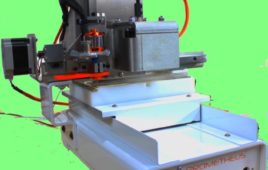
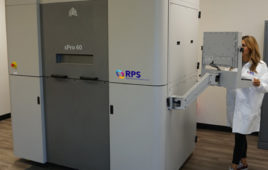
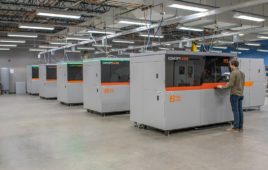
Sharing and gaining early support of 3D models is also done through physical prototypes working with SOLIDWORKS’ 3D-printing partners. With eDrawings, companies can view 3D designs and demonstrate how products behave in the real world through an Augmented Reality 3DExperience on any iOS device, such as an iPad or iPhone.
The integrated SOLIDWORKS 2014 product portfolio includes new tools and enhancements to shorten the design process, enhance collaboration and increase productivity across four key areas: design tools, integrated workflows, performance increases and enhanced visualization for improved collaboration. Following are the top user-requested feature enhancements included in SOLIDWORKS 2014:
DESIGN TOOLS
- Advanced Shape Control – New Style Spline functionality, automatic Sketch Picture scaling and Conic Fillet controls allow users to create complex surfaces and organic shapes faster, easier and with more precise control.
- Faster Drawing Detailing – Perform faster and more automated drawing detailing.
- Sheet Metal Improvements – New sheet metal features enable faster creation of sheet metal geometry and improved data output for manufacturing. Users gain improved control over corner treatments, the ability to create stiffening ribs such as the indented design seen on mounting brackets used to reinforce the weight and force placed on the part.
INTERGRATED WORKFLOWS
- SOLIDWORKS Enterprise PDM Streamlined Workflow – Easily manage more data with the new Microsoft Office integration and enhanced Web Client with graphical preview.
- SOLIDWORKS Electrical Improved Integration and Performance – Enhanced integration with SOLIDWORKS Enterprise PDM and eDrawings allows users to optimize, share and track electrical designs more easily for improved project collaboration.
INCREASED PRODUCTIVITY
- Design Communication and Collaboration – With new support for Android devices, mobile users can expand their viewing choice beyond iOS mobile devices.
- Streamlined Cost Estimating and Reporting – Users are able to cost parts faster with less setup, then share cost data more effectively with their business value chain. For example, key product development data for assembly can now be sent to Microsoft Excel allowing for easy sharing with departments such as manufacturing and purchasing.
ENHANCED VISUALIZATION
- Streamlined Simulation Setup – SOLIDWORKS Simulation automatically leverages engineering data for re-use in simulations, eliminating duplication of effort and improving design collaboration.
- Enhanced Assembly Performance and Visualization – Creates assemblies faster and easier with the new in-context Quick Mate tool bar and Slot Mate. For assembly in section views, users can include or exclude selected components allowing for a fast creation of more impressive section views.
Powered by Dassault Systèmes’ 3DEXPERIENCE Platform, SOLIDWORKS design software is as simple as it is powerful – enabling any company to bring its vision to life and capture global
markets. SOLIDWORKS delivers an intuitive experience in product design, simulation, publishing, data management and environmental impact assessment – helping millions of engineers to design without limits.
Filed Under: Rapid prototyping